
US professionals who travel, relocate or run lean businesses still receive a surprising amount of paper: bank letters, tax forms, pharmacy notes and vendor cheques. A physical street address with digital capture can keep that stream manageable when you are not standing at a suburban mailbox every afternoon. Virtual mailbox services exist for that workflow—if you understand scan-and-shred rules, identity checks and what “street address” means for the carriers you use.
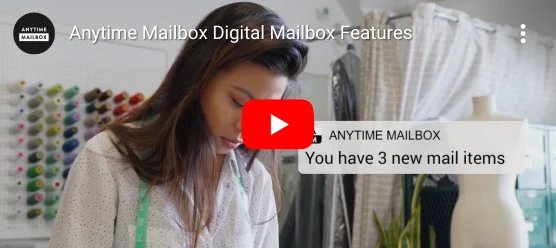
Anytime Mailbox (anytimemailbox.com) offers virtual digital mailboxes across a large network of locations (the site publicly cites 2,500+ locations), letting customers view and manage postal mail online from computer or mobile. This guide is an educational US-focused overview. It is not legal advice for UPS/USPS address acceptance, and it does not invent plan prices.
In this guide:
- When a virtual mailbox helps
- What Anytime Mailbox publishes
- Comparing common mailbox tasks
- Setup and compliance checks
- A weekly mail routine
1. When a Virtual Mailbox Helps
Good fits include frequent travellers, digital nomads with a US nexus, small businesses that need a stable receiving address, and households tired of porch theft or missed certified mail. Poor fits include people who need same-hour physical pickup every day without planning, or anyone unwilling to complete identity verification. Be honest about volume: high-scan months cost more attention even when the plan looks cheap.

2. What Anytime Mailbox Publishes
The Anytime Mailbox site markets virtual digital mailboxes with online viewing and management of snail mail, highlighting a wide location network and features for handling mail digitally. Location pages and plan details on the live site are the source of truth for what a specific address can receive and which actions (open, scan, forward, shred) are available.
To compare locations and plans, visit Anytime Mailbox and open the city you need.
3. Comparing Common Mailbox Tasks
| Task | Why it matters | Checks |
|---|---|---|
| View envelope exteriors | Decide what needs opening | App notifications, retention rules |
| Open & scan contents | Handle paperwork remotely | Scan quality, page limits, privacy |
| Forward physically | Receive originals when required | Speed, international options, fees |
| Shred / recycle | Reduce clutter securely | Confirmation records, compliance needs |
4. Setup and Compliance Checks
- Complete ID verification exactly as the provider and location require.
- Ask whether the address is accepted by your banks and carriers for your use case.
- Update one institution at a time and track confirmations.
- Separate personal and business streams if your plan allows multiple recipients.
- Read prohibited-items and hazardous-mail rules before directing packages.
This article cannot certify that a given address will satisfy a particular agency. When requirements are strict, confirm in writing with that agency.
5. A Weekly Mail Routine
- Set two weekly slots to clear the digital inbox.
- Tag tax-related scans into a dedicated archive.
- Forward only what must stay paper; shred the rest promptly.
- Keep a backup download of critical PDFs outside the app.
- Review plan tiers before peak seasons (tax time, open enrolment).
Roommates and co-founders should agree who clicks “shred.” Accidental destruction of a cheque is an expensive lesson. If you pause travel for a month, still clear the queue—expired offers and fraud letters hide in neglected stacks.
Package logistics differ from letter mail. Confirm dimensional limits and whether carriers require a real person on site. For high-value parcels, a virtual mailbox is not a substitute for insured shipping choices you control at checkout.
Find an Anytime Mailbox Location
Keep receipts and serial numbers in one folder—digital photos of labels are enough—so support requests do not start from zero. Small admin habits protect bigger purchases and travel plans alike.
Revisit your decision after two weeks of real use or one completed trip. If the product or service did not earn its place, adjust the next brief instead of blaming yourself for “lack of motivation.”
When promotions shout, return to your written constraints: space, budget, dates and who else is affected. Constraints feel boring and they prevent expensive mismatches.
Review official terms on the brand site the day you buy; archived affiliate campaigns can still land on live shops whose policies change.
Fraudsters love change-of-address season. Monitor credit and account alerts after you redirect institutions, and treat unexpected “confirm your mailbox” emails with suspicion unless they arrive inside the official app. Bookmark the real domain rather than searching ads.
Teams should document who owns the Anytime Mailbox login, who pays the plan, and what happens if someone leaves the company. Orphaned mailboxes create compliance messes. Use unique passwords and turn on available multi-factor options.
International forwarding introduces customs complexity. If you spend months abroad, decide which originals must travel and which scans suffice. Tax agencies and banks sometimes still demand wet-ink documents—know those cases before you shred.
Official FAQs on the brand site deserve a skim before checkout; they answer edge cases faster than social comment threads.
Tell one trusted person where critical documents or booking references live in case your phone is lost on travel day.
Seasonal volume spikes—holiday cards, seed catalogues, tax packets—can overwhelm a neglected inbox. Raise notification sensitivity before those months and block time to clear scans so forwarding fees do not stack unnoticed.
Conclusion
Virtual mailboxes turn paper into a manageable queue when verification and weekly habits are solid. Anytime Mailbox’s network-oriented model is built around viewing and acting on mail online. Pick a location that fits your carriers, read the plan actions carefully, and process the inbox on a schedule.
Write down one improvement for next time before you close the tab. Continuous small refinements beat occasional overhauls.
Finally, schedule a calendar reminder one month after purchase or signup to reassess whether the product or service still matches your life. Cancel or resize plans early if it does not—sunk costs are not a strategy.
Frequently Asked Questions
Is a virtual mailbox the same as a PO Box?
Not always. Providers and carriers treat address types differently—confirm acceptance for your use case.
Can I receive packages?
Often yes within stated rules, but limits and fees vary by location—check the specific site pages.
What if the affiliate offer is archived?
The tracking link should still open anytimemailbox.com; complete signup only on the official domain.

